
Implementation of character based convolutional neural network

Overview

Character Based CNN

MIT contributions welcome Twitter Stars

This repo contains a PyTorch implementation of a character-level convolutional neural network for text classification.

The model architecture comes from this paper: https://arxiv.org/pdf/1509.01626.pdf

Network architecture

There are two variants: a large and a small. You can switch between the two by changing the configuration file.

This architecture has 6 convolutional layers:

Layer Large Feature Small Feature Kernel Pool
1 1024 256 7 3
2 1024 256 7 3
3 1024 256 3 N/A
4 1024 256 3 N/A
5 1024 256 3 N/A
6 1024 256 3 3

and 2 fully connected layers:

Layer Output Units Large Output Units Small
7 2048 1024
8 2048 1024
9 Depends on the problem Depends on the problem

Video tutorial

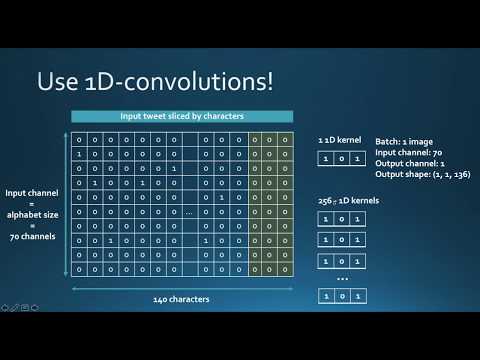
If you're interested in how character CNN work as well as in the demo of this project you can check my youtube video tutorial.
Why you should care about character level CNNs

They have very nice properties:

  • They are quite powerful in text classification (see paper's benchmark) even though they don't have any notion of semantics
  • You don't need to apply any text preprocessing (tokenization, lemmatization, stemming ...) while using them
  • They handle misspelled words and OOV (out-of-vocabulary) tokens
  • They are faster to train compared to recurrent neural networks
  • They are lightweight since they don't require storing a large word embedding matrix. Hence, you can deploy them in production easily

Training a sentiment classifier on french customer reviews

I have tested this model on a set of french labeled customer reviews (of over 3 millions rows). I reported the metrics in TensorboardX.

I got the following results

F1 score Accuracy
train 0.965 0.9366
test 0.945 0.915

Training metrics

Dependencies

  • numpy
  • pandas
  • sklearn
  • PyTorch 0.4.1
  • tensorboardX
  • Tensorflow (to be able to run TensorboardX)

Structure of the code

At the root of the project, you will have:

  • train.py: used for training a model
  • predict.py: used for the testing and inference
  • config.json: a configuration file for storing model parameters (number of filters, neurons)
  • src: a folder that contains:
    • cnn_model.py: the actual CNN model (model initialization and forward method)
    • data_loader.py: the script responsible of passing the data to the training after processing it
    • utils.py: a set of utility functions for text preprocessing (url/hashtag/user_mention removal)

How to use the code

Training

The code currently works only on binary labels (0/1)

Launch train.py with the following arguments:

  • data_path: path of the data. Data should be in csv format with at least a column for text and a column for the label
  • validation_split: the ratio of validation data. default to 0.2
  • label_column: column name of the labels
  • text_column: column name of the texts
  • max_rows: the maximum number of rows to load from the dataset. (I mainly use this for testing to go faster)
  • chunksize: size of the chunks when loading the data using pandas. default to 500000
  • encoding: default to utf-8
  • steps: text preprocessing steps to include on the text like hashtag or url removal
  • group_labels: whether or not to group labels. Default to None.
  • use_sampler: whether or not to use a weighted sampler to overcome class imbalance
  • alphabet: default to abcdefghijklmnopqrstuvwxyz0123456789,;.!?:'"/\|_@#$%^&*~`+-=<>()[]{} (normally you should not modify it)
  • number_of_characters: default 70
  • extra_characters: additional characters that you'd add to the alphabet. For example uppercase letters or accented characters
  • max_length: the maximum length to fix for all the documents. default to 150 but should be adapted to your data
  • epochs: number of epochs
  • batch_size: batch size, default to 128.
  • optimizer: adam or sgd, default to sgd
  • learning_rate: default to 0.01
  • class_weights: whether or not to use class weights in the cross entropy loss
  • focal_loss: whether or not to use the focal loss
  • gamma: gamma parameter of the focal loss. default to 2
  • alpha: alpha parameter of the focal loss. default to 0.25
  • schedule: number of epochs by which the learning rate decreases by half (learning rate scheduling works only for sgd), default to 3. set it to 0 to disable it
  • patience: maximum number of epochs to wait without improvement of the validation loss, default to 3
  • early_stopping: to choose whether or not to early stop the training. default to 0. set to 1 to enable it.
  • checkpoint: to choose to save the model on disk or not. default to 1, set to 0 to disable model checkpoint
  • workers: number of workers in PyTorch DataLoader, default to 1
  • log_path: path of tensorboard log file
  • output: path of the folder where models are saved
  • model_name: prefix name of saved models

Example usage:

python train.py --data_path=/data/tweets.csv --max_rows=200000

Plotting results to TensorboardX

Run this command at the root of the project:

tensorboard --logdir=./logs/ --port=6006

Then go to: http://localhost:6006 (or whatever host you're using)

Prediction

Launch predict.py with the following arguments:

  • model: path of the pre-trained model
  • text: input text
  • steps: list of preprocessing steps, default to lower
  • alphabet: default to 'abcdefghijklmnopqrstuvwxyz0123456789-,;.!?:'"\/|_@#$%^&*~`+-=<>()[]{}\n'
  • number_of_characters: default to 70
  • extra_characters: additional characters that you'd add to the alphabet. For example uppercase letters or accented characters
  • max_length: the maximum length to fix for all the documents. default to 150 but should be adapted to your data

Example usage:

python predict.py ./models/pretrained_model.pth --text="I love pizza !" --max_length=150

Download pretrained models

  • Sentiment analysis model on French customer reviews (3M documents): download link

    When using it:

    • set max_length to 300
    • use extra_characters="éàèùâêîôûçëïü" (accented letters)

Contributions - PR are welcome:

Here's a non-exhaustive list of potential future features to add:

  • Adapt the loss for multi-class classification
  • Log training and validation metrics for each epoch to a text file
  • Provide notebook tutorials

License

This project is licensed under the MIT License

Comments
  • Model trained on GPU is unable to predict on CPU

    Model trained on GPU is unable to predict on CPU

    I used some GPUs on the server to speed up training. But after downloading the trained model file to my PC (no GPU equipped) and run the predict.py script. It gives an error message related to cuda_is_available() , seems that the model trained on a GPU cannot predict on only-CPU machines? Is this an expected behavior? If not, any help will be appreciated! Thanks a lot!

    Error Message:

    (ml) C:\Users\lzy71\MyProject\character-based-cnn>python predict.py --model=./model/testmodel.pth --text="I love the pizza" > msg.txt
    C:\Users\lzy71\Anaconda3\envs\ml\lib\site-packages\torch\serialization.py:454: SourceChangeWarning: source code of class 'torch.nn.modules.container.ModuleList' has changed. you can retrieve the original source code by accessing the object's source attribute or set `torch.nn.Module.dump_patches = True` and use the patch tool to revert the changes.
      warnings.warn(msg, SourceChangeWarning)
    C:\Users\lzy71\Anaconda3\envs\ml\lib\site-packages\torch\serialization.py:454: SourceChangeWarning: source code of class 'torch.nn.modules.container.Sequential' has changed. you can retrieve the original source code by accessing the object's source attribute or set `torch.nn.Module.dump_patches = True` and use the patch tool to revert the changes.
      warnings.warn(msg, SourceChangeWarning)
    C:\Users\lzy71\Anaconda3\envs\ml\lib\site-packages\torch\serialization.py:454: SourceChangeWarning: source code of class 'torch.nn.modules.conv.Conv1d' has changed. you can retrieve the original source code by accessing the object's source attribute or set `torch.nn.Module.dump_patches = True` and use the patch tool to revert the changes.
      warnings.warn(msg, SourceChangeWarning)
    Traceback (most recent call last):
      File "predict.py", line 39, in <module>
        prediction = predict(args)
      File "predict.py", line 10, in predict
        model = torch.load(args.model)
      File "C:\Users\lzy71\Anaconda3\envs\ml\lib\site-packages\torch\serialization.py", line 387, in load
        return _load(f, map_location, pickle_module, **pickle_load_args)
      File "C:\Users\lzy71\Anaconda3\envs\ml\lib\site-packages\torch\serialization.py", line 574, in _load
        result = unpickler.load()
      File "C:\Users\lzy71\Anaconda3\envs\ml\lib\site-packages\torch\serialization.py", line 537, in persistent_load
        deserialized_objects[root_key] = restore_location(obj, location)
      File "C:\Users\lzy71\Anaconda3\envs\ml\lib\site-packages\torch\serialization.py", line 119, in default_restore_location
        result = fn(storage, location)
      File "C:\Users\lzy71\Anaconda3\envs\ml\lib\site-packages\torch\serialization.py", line 95, in _cuda_deserialize
        device = validate_cuda_device(location)
      File "C:\Users\lzy71\Anaconda3\envs\ml\lib\site-packages\torch\serialization.py", line 79, in validate_cuda_device
        raise RuntimeError('Attempting to deserialize object on a CUDA '
    RuntimeError: Attempting to deserialize object on a CUDA device but torch.cuda.is_available() is False. If you are running on a CPU-only machine, please use torch.load with map_location='cpu' to map your storages to the CPU.
    
    opened by desmondlzy 2
  • AttributeError: 'tuple' object has no attribute 'size'

    AttributeError: 'tuple' object has no attribute 'size'

    train is always falling even with such kind of file: """ SentimentText;Sentiment aaa;1 bbb;2 ccc;3 """ Params of running -- just data_path Packages installed: numpy==1.16.1 pandas==0.24.1 Pillow==5.4.1 protobuf==3.6.1 python-dateutil==2.8.0 pytz==2018.9 scikit-learn==0.20.2 scipy==1.2.1 six==1.12.0 sklearn==0.0 tensorboardX==1.6 torch==1.0.1.post2 torchvision==0.2.1 tqdm==4.31.1

    opened by 40min 2
  • Predict error

    Predict error

    Raw output on console.

    python3 predict.py --model=./models/model__epoch_9_maxlen_150_lr_0.00125_loss_0.6931_acc_0.5005_f1_0.4944.pth --text="thisisatest_______" --alphabet=abcdefghijklmnopqrstuvwxyzABCDEFGHIJKLMNOPQRSTUVWXYZ0123456789_ Traceback (most recent call last): File "/Users/ttran/Desktop/development/python/character-based-cnn/predict.py", line 48, in <module> prediction = predict(args) File "/Users/ttran/Desktop/development/python/character-based-cnn/predict.py", line 11, in predict model = CharacterLevelCNN(args, args.number_of_classes) File "/Users/ttran/Desktop/development/python/character-based-cnn/src/model.py", line 12, in __init__ self.dropout_input = nn.Dropout2d(args.dropout_input) AttributeError: 'Namespace' object has no attribute 'dropout_input'

    What is --number_of_classes argument? I don't have that set in the run command.

    opened by thyngontran 1
  • Data types of columns in the data (CSV)

    Data types of columns in the data (CSV)

    Can you describe how to encode the labels? I get only 1 class label, see output below. They are set as integers (either 0 or 1)

    See output below when I train my model.

    data loaded successfully with 9826 rows and 1 labels Distribution of the classes Counter({0: 9826})

    opened by rkmatousek 1
  • RuntimeError: expected scalar type Long but found Double

    RuntimeError: expected scalar type Long but found Double

    I'm using a dataset I scraped but same structure comments with rating 0-10, using the same commands as provided except group_labels=0

    Traceback (most recent call last):
      File "train.py", line 415, in <module>
        run(args)
      File "train.py", line 297, in run
        training_loss, training_accuracy, train_f1 = train(model,
      File "train.py", line 50, in train
        loss = criterion(predictions, labels)
      File "C:\ProgramData\Anaconda3\lib\site-packages\torch\nn\modules\module.py", line 532, in __call__
        result = self.forward(*input, **kwargs)
      File "C:\ProgramData\Anaconda3\lib\site-packages\torch\nn\modules\loss.py", line 915, in forward
        return F.cross_entropy(input, target, weight=self.weight,
      File "C:\ProgramData\Anaconda3\lib\site-packages\torch\nn\functional.py", line 2021, in cross_entropy
        return nll_loss(log_softmax(input, 1), target, weight, None, ignore_index, None, reduction)
      File "C:\ProgramData\Anaconda3\lib\site-packages\torch\nn\functional.py", line 1838, in nll_loss
        ret = torch._C._nn.nll_loss(input, target, weight, _Reduction.get_enum(reduction), ignore_index)
    RuntimeError: expected scalar type Long but found Double
    
    opened by RyanMills19 0
  • Data loader class issues while mapping

    Data loader class issues while mapping

    I am using my dataset having three labels 0,1,2. While loading the dataset in data_loader class it generates key error. I think the issue is of mapping please guide.

    Traceback (most recent call last):
      File "train.py", line 415, in <module>
        run(args)
      File "train.py", line 219, in run
        texts, labels, number_of_classes, sample_weights = load_data(args)
      File "/content/character-based-cnn/src/data_loader.py", line 55, in load_data
        map(lambda l: {1: 0, 2: 0, 4: 1, 5: 1, 7: 2, 8: 2}[l], labels))
      File "/content/character-based-cnn/src/data_loader.py", line 55, in <lambda>
        map(lambda l: {1: 0, 2: 0, 4: 1, 5: 1, 7: 2, 8: 2}[l], labels))
    KeyError: '1'
    
    opened by bilalbaloch1 1
  • ImportError: No module named cnn_model

    ImportError: No module named cnn_model

    Ubuntu 18.04.3 LTS Python 3.6.9

    Command: python3 predict.py --model "./models/pretrained_model.pth" --text "I love pizza !" --max_length 150

    Output: Traceback (most recent call last): File "predict.py", line 47, in prediction = predict(args) File "predict.py", line 14, in predict state = torch.load(args.model) File "/home/reda/.local/lib/python3.6/site-packages/torch/serialization.py", line 426, in load return _load(f, map_location, pickle_module, **pickle_load_args) File "/home/reda/.local/lib/python3.6/site-packages/torch/serialization.py", line 613, in _load result = unpickler.load() ModuleNotFoundError: No module named 'src.cnn_model'

    opened by redaaa99 0
Releases(model_en_tp_amazon)
Owner
Ahmed BESBES
Data Scientist, Deep learning practitioner, Blogger, Obsessed with neat design and automation
Ahmed BESBES
Node-level Graph Regression with Deep Gaussian Process Models

Node-level Graph Regression with Deep Gaussian Process Models Prerequests our implementation is mainly based on tensorflow 1.x and gpflow 1.x: python

1 Jan 16, 2022
A project to make Amazon Echo respond to sign language using your webcam

Making Alexa respond to Sign Language using Tensorflow.js Try the live demo Read the Blog Post on Tensorflow's Blog Coming Soon Watch the video This p

Abhishek Singh 444 Jan 03, 2023
This repository contains the code for EMNLP-2021 paper "Word-Level Coreference Resolution"

Word-Level Coreference Resolution This is a repository with the code to reproduce the experiments described in the paper of the same name, which was a

79 Dec 27, 2022
A package to predict protein inter-residue geometries from sequence data

trRosetta This package is a part of trRosetta protein structure prediction protocol developed in: Improved protein structure prediction using predicte

Ivan Anishchenko 185 Jan 07, 2023
OpenMMLab Text Detection, Recognition and Understanding Toolbox

Introduction English | 简体中文 MMOCR is an open-source toolbox based on PyTorch and mmdetection for text detection, text recognition, and the correspondi

OpenMMLab 3k Jan 07, 2023
Deep learning with TensorFlow and earth observation data.

Deep Learning with TensorFlow and EO Data Complete file set for Jupyter Book Autor: Development Seed Date: 04 October 2021 ISBN: (to come) Notebook tu

Development Seed 20 Nov 16, 2022
Only a Matter of Style: Age Transformation Using a Style-Based Regression Model

Only a Matter of Style: Age Transformation Using a Style-Based Regression Model The task of age transformation illustrates the change of an individual

444 Dec 30, 2022
Python based framework for Automatic AI for Regression and Classification over numerical data.

Python based framework for Automatic AI for Regression and Classification over numerical data. Performs model search, hyper-parameter tuning, and high-quality Jupyter Notebook code generation.

BlobCity, Inc 141 Dec 21, 2022
OpenABC-D: A Large-Scale Dataset For Machine Learning Guided Integrated Circuit Synthesis

OpenABC-D: A Large-Scale Dataset For Machine Learning Guided Integrated Circuit Synthesis Overview OpenABC-D is a large-scale labeled dataset generate

NYU Machine-Learning guided Design Automation (MLDA) 31 Nov 22, 2022
Pytorch implementation of Decoupled Spatial-Temporal Transformer for Video Inpainting

Decoupled Spatial-Temporal Transformer for Video Inpainting By Rui Liu, Hanming Deng, Yangyi Huang, Xiaoyu Shi, Lewei Lu, Wenxiu Sun, Xiaogang Wang, J

51 Dec 13, 2022
Code for project: "Learning to Minimize Remainder in Supervised Learning".

Learning to Minimize Remainder in Supervised Learning Code for project: "Learning to Minimize Remainder in Supervised Learning". Requirements and Envi

Yan Luo 0 Jul 18, 2021
This is the source code for: Context-aware Entity Typing in Knowledge Graphs.

This is the source code for: Context-aware Entity Typing in Knowledge Graphs.

9 Sep 01, 2022
A simple API wrapper for Discord interactions.

Your ultimate Discord interactions library for discord.py. About | Installation | Examples | Discord | PyPI About What is discord-py-interactions? dis

james 641 Jan 03, 2023
The code release of paper Low-Light Image Enhancement with Normalizing Flow

[AAAI 2022] Low-Light Image Enhancement with Normalizing Flow Paper | Project Page Low-Light Image Enhancement with Normalizing Flow Yufei Wang, Renji

Yufei Wang 176 Jan 06, 2023
Anti-UAV base on PaddleDetection

Paddle-Anti-UAV Anti-UAV base on PaddleDetection Background UAVs are very popular and we can see them in many public spaces, such as parks and playgro

Qingzhong Wang 2 Apr 20, 2022
Code and datasets for TPAMI 2021

SkeletonNet This repository constains the codes and ShapeNetV1-Surface-Skeleton,ShapNetV1-SkeletalVolume and 2d image datasets ShapeNetRendering. Plea

34 Aug 15, 2022
Implicit Model Specialization through DAG-based Decentralized Federated Learning

Federated Learning DAG Experiments This repository contains software artifacts to reproduce the experiments presented in the Middleware '21 paper "Imp

Operating Systems and Middleware Group 5 Oct 16, 2022
Matching python environment code for Lux AI 2021 Kaggle competition, and a gym interface for RL models.

Lux AI 2021 python game engine and gym This is a replica of the Lux AI 2021 game ported directly over to python. It also sets up a classic Reinforceme

Geoff McDonald 74 Nov 03, 2022
Cross View SLAM

Cross View SLAM This is the associated code and dataset repository for our paper I. D. Miller et al., "Any Way You Look at It: Semantic Crossview Loca

Ian D. Miller 99 Dec 09, 2022
Tutorial for the PERFECTING FACTORY 5.0 WITH EDGE-POWERED AI workshop

Workshop Advantech Jetson Nano This tutorial has been designed for the PERFECTING FACTORY 5.0 WITH EDGE-POWERED AI workshop in collaboration with Adva

Edge Impulse 18 Nov 22, 2022