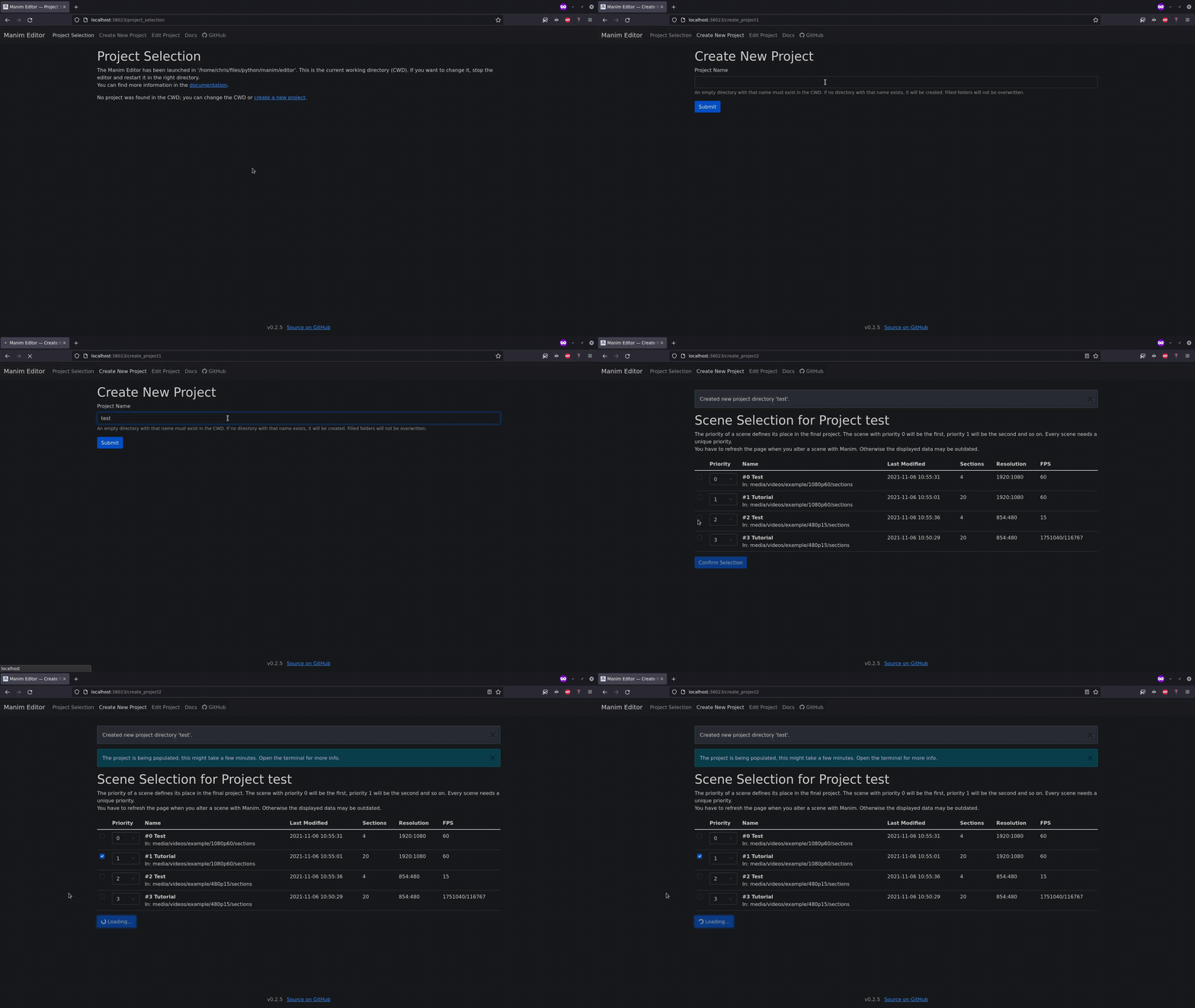
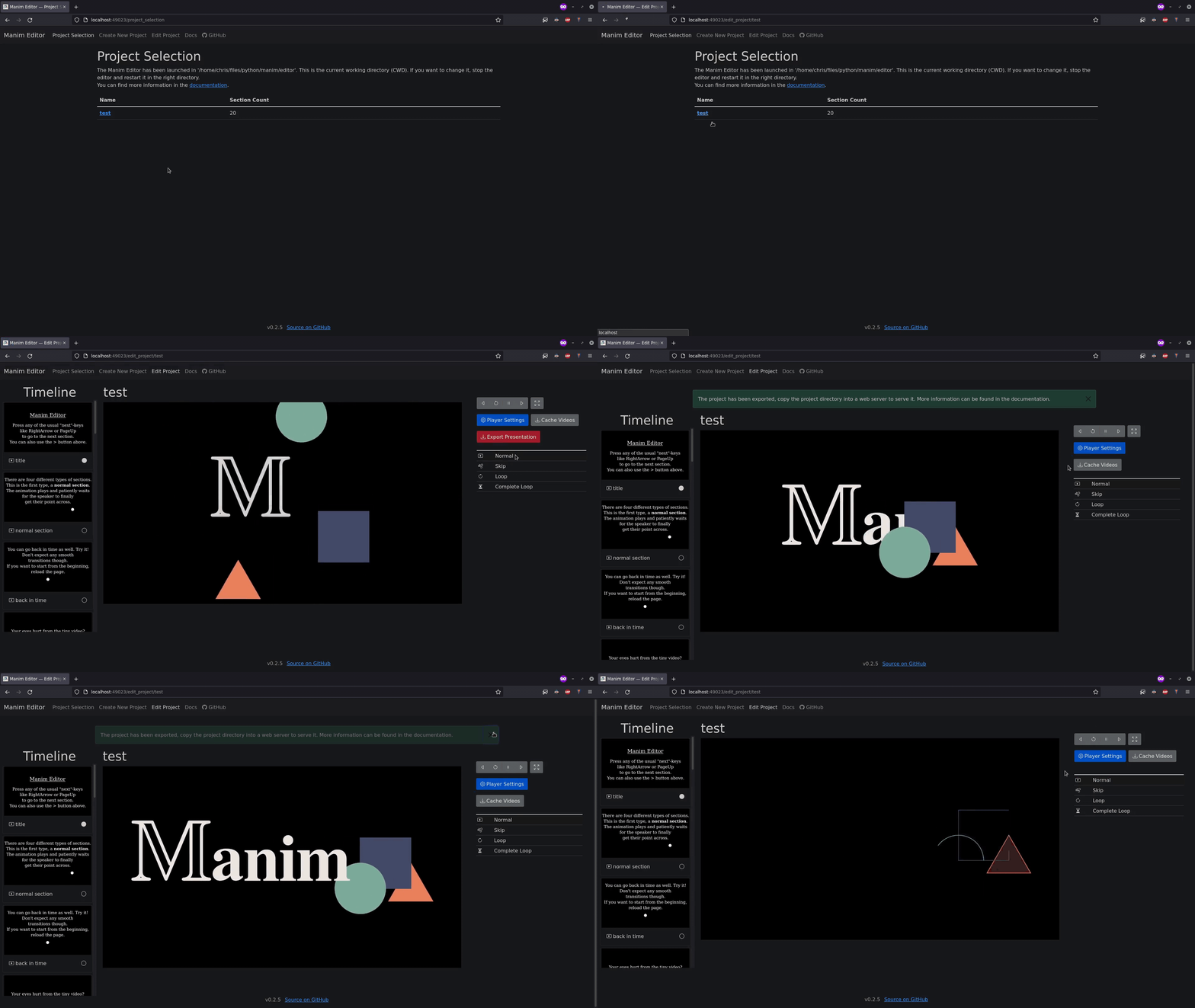
Editor and Presenter for Manim Generated Content.
Take a look at the Working Example. More information can be found on the documentation.
These Browsers are supported:
- Firefox
- Chrome/Chromium-Based
- Edge
Editor and Presenter for Manim Generated Content.
Take a look at the Working Example. More information can be found on the documentation.
These Browsers are supported:
After I press the export presentation button on the localhost webpage, and then run the command 'python3 -m http.server' in the directory, the webpage does not pop up and if I open the server link then it says that the Site cannot be reached. I am requesting for a more guided tutorial/explanation for how to export and view the file.
Hey, it's me again, sorry for opening so many issues in such a shot period of time! I'm still working on the same project, but this time I updated to manedit 0.3.4.
Unlike v0.3.3, it doesn't find created projects in the main "Project Selection" page, but detects that a project already exists when we want to create a project with the same name.
Steps to reproduce:
manim --save_sections hsf.py,HSF,HSF, but v0.3.4 says No project was found in the CWD; you can change the CWD or create a new project., (the directory HSF exists in the CWD),create new project, name it HSF, you get: The project name 'HSF' points to a filled directory. If this is a project, you can open it instead.When I wanted to create a new project, I get this output:
PermissionError: [Errno 13] Permission denied: '.PlayOnLinux/wineprefix/Office2013/dosdevices/z:/dev/vboxusb'
or this :
PermissionError: [Errno 13] Permission denied: '.wine/dosdevices/z:/dev/vboxusb'
full error:
ERROR:manim_editor.app:Exception on /create_project2 [POST]
Traceback (most recent call last):
File "/home/user/.local/lib/python3.8/site-packages/flask/app.py", line 2073, in wsgi_app
response = self.full_dispatch_request()
File "/home/user/.local/lib/python3.8/site-packages/flask/app.py", line 1518, in full_dispatch_request
rv = self.handle_user_exception(e)
File "/home/user/.local/lib/python3.8/site-packages/flask/app.py", line 1516, in full_dispatch_request
rv = self.dispatch_request()
File "/home/user/.local/lib/python3.8/site-packages/flask/app.py", line 1502, in dispatch_request
return self.ensure_sync(self.view_functions[rule.endpoint])(**req.view_args)
File "/home/user/.local/lib/python3.8/site-packages/manim_editor/app/main/routes.py", line 105, in scene_selection
scenes = get_scenes()
File "/home/user/.local/lib/python3.8/site-packages/manim_editor/editor/manim_loader.py", line 50, in get_scenes
for root, _, files in walk(Path("."), get_config().RECURSION_DEPTH):
File "/home/user/.local/lib/python3.8/site-packages/manim_editor/editor/commands.py", line 43, in walk
for res in walk(top / name, maxdepth - 1):
File "/home/user/.local/lib/python3.8/site-packages/manim_editor/editor/commands.py", line 43, in walk
for res in walk(top / name, maxdepth - 1):
File "/home/user/.local/lib/python3.8/site-packages/manim_editor/editor/commands.py", line 43, in walk
for res in walk(top / name, maxdepth - 1):
[Previous line repeated 2 more times]
File "/home/user/.local/lib/python3.8/site-packages/manim_editor/editor/commands.py", line 35, in walk
for name in os.listdir(top):
PermissionError: [Errno 13] Permission denied: '.wine/dosdevices/z:/dev/vboxusb'
Creating project 'pitzene'.
bug

Hey, I'm trying to make a presentation comprising 7 classes.
After the generation using manim --save_sections hsf.py, they are order by default in alphabetic order in manedit.
Unfortunately, it's not the correct order so I change the priority in manedit, but it doesn't seem to be taken into account as the final order stays in alphabetic order during the presentation.
EDIT: it'll be easier with my presentation. Here it is: https://github.com/clementpoiret/manim_hsf Sorry for bad coding quality, I'm mainly exploring manim + manedit :+1: The order should be:
1/ Introduction 2/ State of Need 3/ Preprocessing 4/ Segmentation 5/ BaggingTta 6/ Postprocessing 7/ PreliminaryResults
bugHi, I am currently trying to replicate the minimal example from the documentation using manim editor 0.3.2. On Vivaldi or Google Chrome, the page appears to be not formatted as it do not find css and js files as seen below. The library is installed through a classic pip install.

Excuse me for asking here, but I didn't find any other way to contact you.
I'm creating a presentation which makes use of the MovingCamera class in some slides and the tikz LaTeX package in others. Unfortunately, arrows drawn with tikz are missing their straight lines when rendered with Cairo, whereas they are rendered perfectly fine with OpenGL. On the other hand, MovingCamera does not work correctly when rendered with OpenGL, since this function has not yet been implemented.
Is it possible to create a Manim Editor Project in such a way that some "slides" (sections, really) are rendered in Cairo and others are rendered in OpenGL? If possible, how could I go about rendering and ordering said sections?
Thanks in advance for your response.
When trying to use manim-editor with manim v0.14.0, this error would come up:
manim-editor 0.3.8 requires manim<0.14.0,>=0.13.1, but you have manim 0.14.0 which is incompatible.
This is because of the ^ before the manim version, which restricted the version a bit too much. I've changed this to a >= to include future versions too.
https://python-poetry.org/docs/dependency-specification/#caret-requirements
I propose a change to the UI of the Manim Editor so that it looks more like the UI of a PowerPoint presentation. Specifically, the left panel should have only a few user-specified points to jump to, with the video between two consecutive points in the panel being made up of multiple sections.
The usefulness of this is most stark in the use case when one is giving a presentation using the current Manim Editor:
A similar problem would also arise if someone wants to take a look at your presentation and wants to jump to a specific point.
new featureHello everyone! I was wondering how I could delete a project because there is no delete button on the Project selection page or when you open the project there is no button\option to delete the file
enhancementWhen including a presentation in a website, it might be useful to have a smaller window with it instead of the entire presenter.
This version would remove some features—like the timeline and settings. It might even get rid of everything but the main video element. Then the controls would have to overlay the video.
new featureCurrently, when presentations are exported, they create a html for that specific presentation only. I would like to request for there to be a sort of 'projects homepage', so that when I host it on github, all presentations are available to be viewed. Kind of like the 'project selection' panel when running manedit.
Installation instructions can be found here.
Source code(tar.gz)Installation instructions can be found here.
Again thanks to @clementpoiret for the great feedback!
Source code(tar.gz)Installation instructions can be found here.
Thanks to @clementpoiret for their great feedback!
Source code(tar.gz)Installation instructions can be found here.
Source code(tar.gz)Instructions on how to install can be found here.
Source code(tar.gz)Create charts with Python in a very similar way to creating charts using Chart.js. The charts created are fully configurable, interactive and modular and are displayed directly in the output of the t
A Python API for Intelligent Visual Discovery Lux is a Python library that facilitate fast and easy data exploration by automating the visualization a
blender_freestyle_line_drawing This is simply repo for line drawing rendering using freestyle in Blender. how to use blender2935 --background --python
Venn diagram plotting routines for Python/Matplotlib Routines for plotting area-weighted two- and three-circle venn diagrams. Installation The simples
physt P(i/y)thon h(i/y)stograms. Inspired (and based on) numpy.histogram, but designed for humans(TM) on steroids(TM). The goal is to unify different
Code repository Practical Statistics for Data Scientists: 50+ Essential Concepts Using R and Python by Peter Bruce, Andrew Bruce, and Peter Gedeck Pub
Installation | Documentation | Gitter Chat | Google Group Bowtie Introduction Bowtie is a library for writing dashboards in Python. No need to know we
folium Python Data, Leaflet.js Maps folium builds on the data wrangling strengths of the Python ecosystem and the mapping strengths of the Leaflet.js
DataScienceWithPython Get started with Data Science with Python An engaging journey to become a Data Scientist with Python TL;DR Download all Jupyter
Geometric Graphs Generate knowledge graphs with interesting geometries, like lattices. Works on Python 3.9+ because it uses cool new features. Get out
DALLE tools DALLE-tools is a github repository with useful tools to categorize, annotate or check the sanity of your datasets. Installation Just clone
About The Project Learning more about fractals through the process of visualization. Built With Matplotlib Numpy License This project is licensed unde
ScienceGallery The repository is my code for various types of data visualization cases based on the Matplotlib library. It summarizes the code and cas
python-ternary This is a plotting library for use with matplotlib to make ternary plots plots in the two dimensional simplex projected onto a two dime
Batoms is a Python package for editing and rendering atoms and molecules objects using blender. A Python interface that allows for automating workflows.
ts2vg: Time series to visibility graphs The Python ts2vg package provides high-performance algorithm implementations to build visibility graphs from t
China and India Population and GDP Visualization Historical Population Comparison between India and China This graph shows the population data of Indi
Customizing Visual Styles in Plotly Code for a workshop originally developed for an Unconference session during the Outlier Conference hosted by Data
inkkeys Details and instructions can be found on https://there.oughta.be/a/macro-keyboard In contrast to most of my other projects, I decided to put t
A tool for creating SVG timelines from simple JSON input.