AquaTimer - Programmable Timer for Aquariums based on ATtiny414/814/1614

Overview

AquaTimer - Programmable Timer for Aquariums based on ATtiny414/814/1614

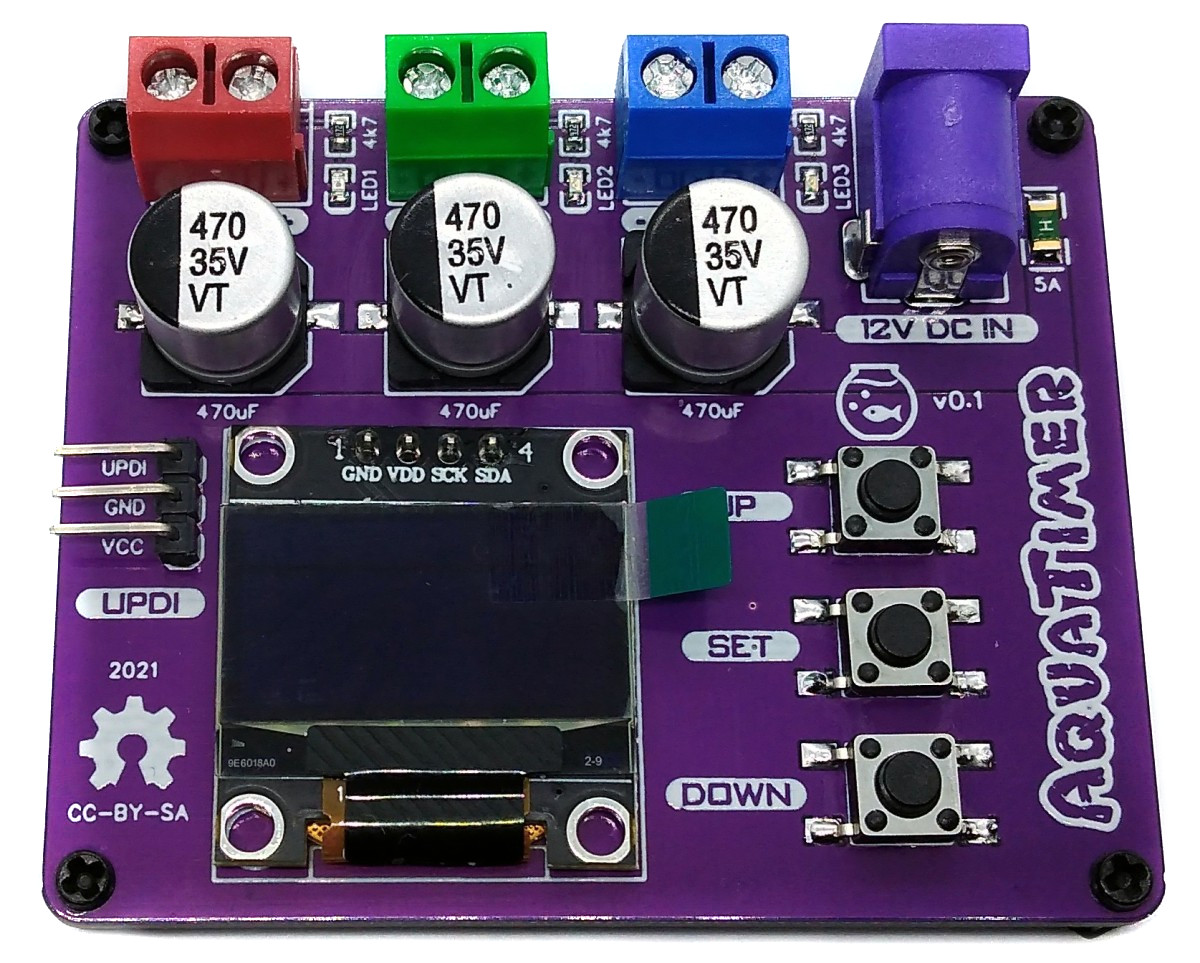
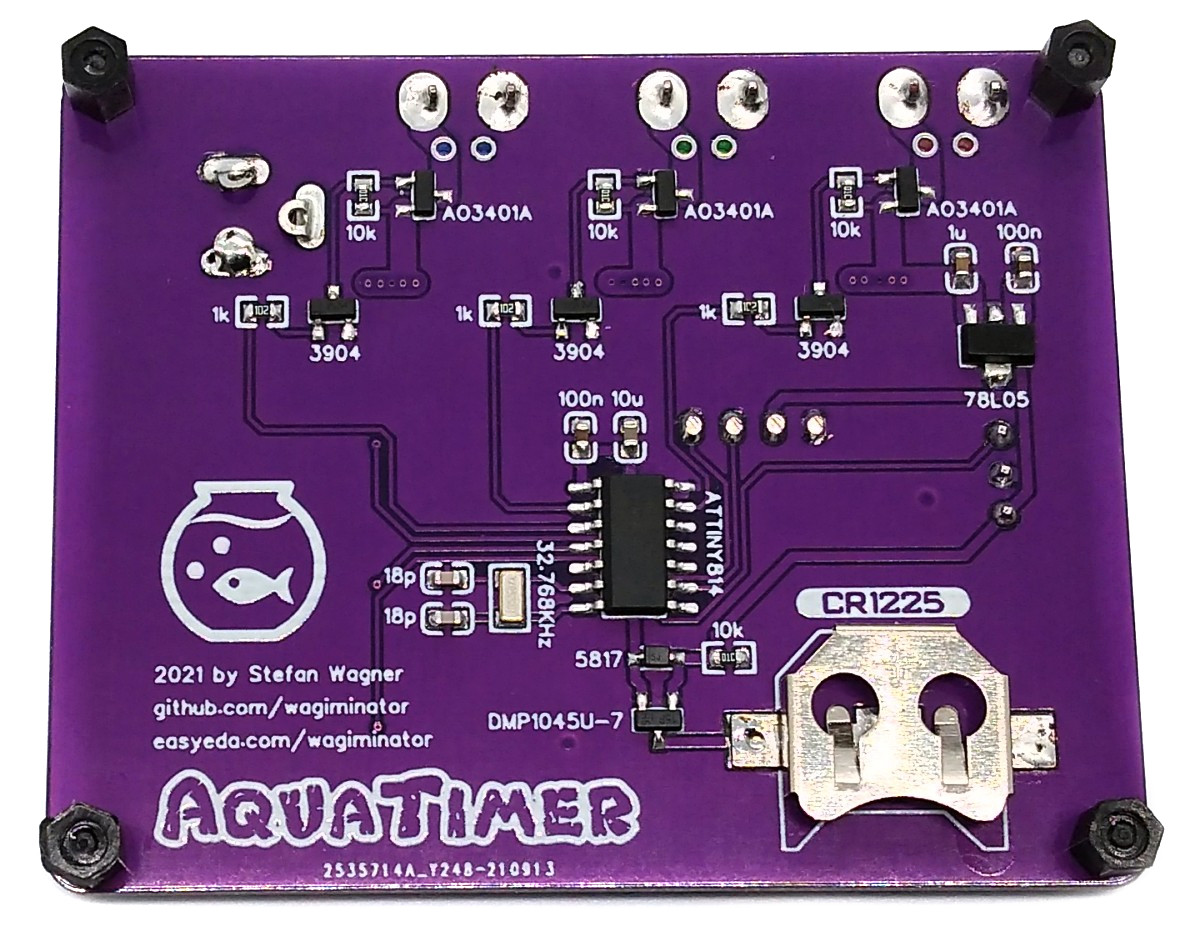
AquaTimer is a programmable timer for 12V devices such as lighting, solenoid valves or pumps not only for aquariums. It has three switchable channels for currents up to 2A each and up to 5A in total. Connected lighting can be dimmed if desired and slowly faded in and out to simulate sunrises and sunsets. The internal RTC of the ATtiny is used as a clockwork in conjunction with a 32.768kHz crystal. A backup battery keeps the clock running even if the external power supply is interrupted. Settings are made using three buttons and the OLED display.

pic1.jpg

Compiling and Uploading the Firmware

If using the Arduino IDE

  • Open your Arduino IDE.
  • Make sure you have installed megaTinyCore.
  • Go to Tools -> Board -> megaTinyCore and select ATtiny1614/1604/814/804/414/404/214/204.
  • Go to Tools and choose the following board options:
    • Chip: ATtiny1614 or ATtiny814 or ATtiny414
    • Clock: 5 MHz internal
    • Leave the rest at the default settings.
  • Connect your programmer to your PC and to the UPDI header on the board.
  • Go to Tools -> Programmer and select your UPDI programmer.
  • Go to Tools -> Burn Bootloader to burn the fuses.
  • Open the sketch and click Upload.

If using the makefile (Linux/Mac)

  • Connect your programmer (jtag2updi or SerialUPDI) to your PC and to the UPDI header on the board.
  • Download AVR 8-bit Toolchain and extract the sub-folders (avr, bin, include, ...) to /software/tools/avr-gcc. To do this, you have to register for free with Microchip on the download site.
  • Open the makefile and set the programmer and port (default is serialupdi on /dev/ttyUSB0).
  • Open a terminal.
  • Navigate to the folder with the makefile and the sketch.
  • Run "make install" to compile, burn the fuses and upload the firmware.

The device time is automatically set to the current time (compilation time) when the firmware is uploaded. Install the CR1220, CR1225 or LIR1220 (recommended) buffer battery before disconnecting the device.

Operating Instructions

  1. Connect the devices to be controlled to the AquaTimer using the screw terminals. Pay attention to the correct polarity!
  2. Connect the AquaTimer to a 12V power supply via the DC barrel connector.
  3. Press the "SET" button to get to the main menu. Adjust the values according to your wishes.

References, Links and Notes
  1. ATtiny814 Datasheet

pic2.jpg pic3.png pic4.jpg

License

license.png

This work is licensed under Creative Commons Attribution-ShareAlike 3.0 Unported License. (http://creativecommons.org/licenses/by-sa/3.0/)

Owner
Stefan Wagner
Stefan Wagner
Supervised multi-SNE (S-multi-SNE): Multi-view visualisation and classification

S-multi-SNE Supervised multi-SNE (S-multi-SNE): Multi-view visualisation and classification A repository containing the code to reproduce the findings

Theodoulos Rodosthenous 3 Apr 15, 2022
Simple Pixelbot for Diablo 2 Resurrected written in python and opencv.

Simple Pixelbot for Diablo 2 Resurrected written in python and opencv. Obviously only use it in offline mode as it is against the TOS of Blizzard to use it in online mode!

468 Jan 03, 2023
SOTR: Segmenting Objects with Transformers [ICCV 2021]

SOTR: Segmenting Objects with Transformers [ICCV 2021] By Ruohao Guo, Dantong Niu, Liao Qu, Zhenbo Li Introduction This is the official implementation

186 Dec 20, 2022
A PyTorch implementation for our paper "Dual Contrastive Learning: Text Classification via Label-Aware Data Augmentation".

Dual-Contrastive-Learning A PyTorch implementation for our paper "Dual Contrastive Learning: Text Classification via Label-Aware Data Augmentation". Y

hoshi-hiyouga 85 Dec 26, 2022
Trains an agent with stochastic policy gradient ascent to solve the Lunar Lander challenge from OpenAI

Introduction This script trains an agent with stochastic policy gradient ascent to solve the Lunar Lander challenge from OpenAI. In order to run this

Momin Haider 0 Jan 02, 2022
Playing around with FastAPI and streamlit to create a YoloV5 object detector

FastAPI-Streamlit-based-YoloV5-detector Playing around with FastAPI and streamlit to create a YoloV5 object detector It turns out that a User Interfac

2 Jan 20, 2022
Official implementation of VQ-Diffusion

Official implementation of VQ-Diffusion: Vector Quantized Diffusion Model for Text-to-Image Synthesis

Microsoft 592 Jan 03, 2023
Official code for "Mean Shift for Self-Supervised Learning"

MSF Official code for "Mean Shift for Self-Supervised Learning" Requirements Python = 3.7.6 PyTorch = 1.4 torchvision = 0.5.0 faiss-gpu = 1.6.1 In

UMBC Vision 44 Nov 21, 2022
Vision-Language Pre-training for Image Captioning and Question Answering

VLP This repo hosts the source code for our AAAI2020 work Vision-Language Pre-training (VLP). We have released the pre-trained model on Conceptual Cap

Luowei Zhou 373 Jan 03, 2023
A new framework, collaborative cascade prediction based on graph neural networks (CCasGNN) to jointly utilize the structural characteristics, sequence features, and user profiles.

CCasGNN A new framework, collaborative cascade prediction based on graph neural networks (CCasGNN) to jointly utilize the structural characteristics,

5 Apr 29, 2022
The PyTorch implementation of Directed Graph Contrastive Learning (DiGCL), NeurIPS-2021

Directed Graph Contrastive Learning Paper | Poster | Supplementary The PyTorch implementation of Directed Graph Contrastive Learning (DiGCL). In this

Tong Zekun 28 Jan 08, 2023
Jupyter notebooks for using & learning Keras

deep-learning-with-keras-notebooks 這個github的repository主要是個人在學習Keras的一些記錄及練習。希望在學習過程中發現到一些好的資訊與範例也可以對想要學習使用 Keras來解決問題的同好,或是對深度學習有興趣的在學學生可以有一些方便理解與上手範例

ErhWen Kuo 2.1k Dec 27, 2022
TensorFlow implementation of "Learning from Simulated and Unsupervised Images through Adversarial Training"

Simulated+Unsupervised (S+U) Learning in TensorFlow TensorFlow implementation of Learning from Simulated and Unsupervised Images through Adversarial T

Taehoon Kim 569 Dec 29, 2022
A Python implementation of global optimization with gaussian processes.

Bayesian Optimization Pure Python implementation of bayesian global optimization with gaussian processes. PyPI (pip): $ pip install bayesian-optimizat

fernando 6.5k Jan 02, 2023
Civsim is a basic civilisation simulation and modelling system built in Python 3.8.

Civsim Introduction Civsim is a basic civilisation simulation and modelling system built in Python 3.8. It requires the following packages: perlin_noi

17 Aug 08, 2022
Amazon Forest Computer Vision: Satellite Image tagging code using PyTorch / Keras with lots of PyTorch tricks

Amazon Forest Computer Vision Satellite Image tagging code using PyTorch / Keras Here is a sample of images we had to work with Source: https://www.ka

Mamy Ratsimbazafy 360 Dec 10, 2022
Shared Attention for Multi-label Zero-shot Learning

Shared Attention for Multi-label Zero-shot Learning Overview This repository contains the implementation of Shared Attention for Multi-label Zero-shot

dathuynh 26 Dec 14, 2022
QKeras: a quantization deep learning library for Tensorflow Keras

QKeras github.com/google/qkeras QKeras 0.8 highlights: Automatic quantization using QKeras; Stochastic behavior (including stochastic rouding) is disa

Google 437 Jan 03, 2023
A high-level Python library for Quantum Natural Language Processing

lambeq About lambeq is a toolkit for quantum natural language processing (QNLP). Documentation: https://cqcl.github.io/lambeq/ User support: lambeq-su

Cambridge Quantum 315 Jan 01, 2023
Reverse engineering recurrent neural networks with Jacobian switching linear dynamical systems

Reverse engineering recurrent neural networks with Jacobian switching linear dynamical systems This repository is the official implementation of Rever

6 Aug 25, 2022