Jmp
Description
Have you ever used the cd command? You'll never touch that outdated thing again when you try jmp. Navigate your filesystem with unprecedented speed, agility, and dexterity NEVER seen before. Become a truly unstoppable force on the command line.
Given a set of regular expressions, jmp will intelligently search through your files and cd you into your intended directory. Instead of cd /Users/gholmes/Projects/Diviner/core/ (what a waste of time and energy, am I right?), just input jmp D c to achieve the exact same results. Arguments can be regular expressions and can "guide" the search to a final prediction.
This tool is also very useful if you only remember part of the name of place you want to go to, as you can run jmp .+
and then theres a good chance you'll end up in the right place. Thanks, regex!
| Before | After |
|---|---|
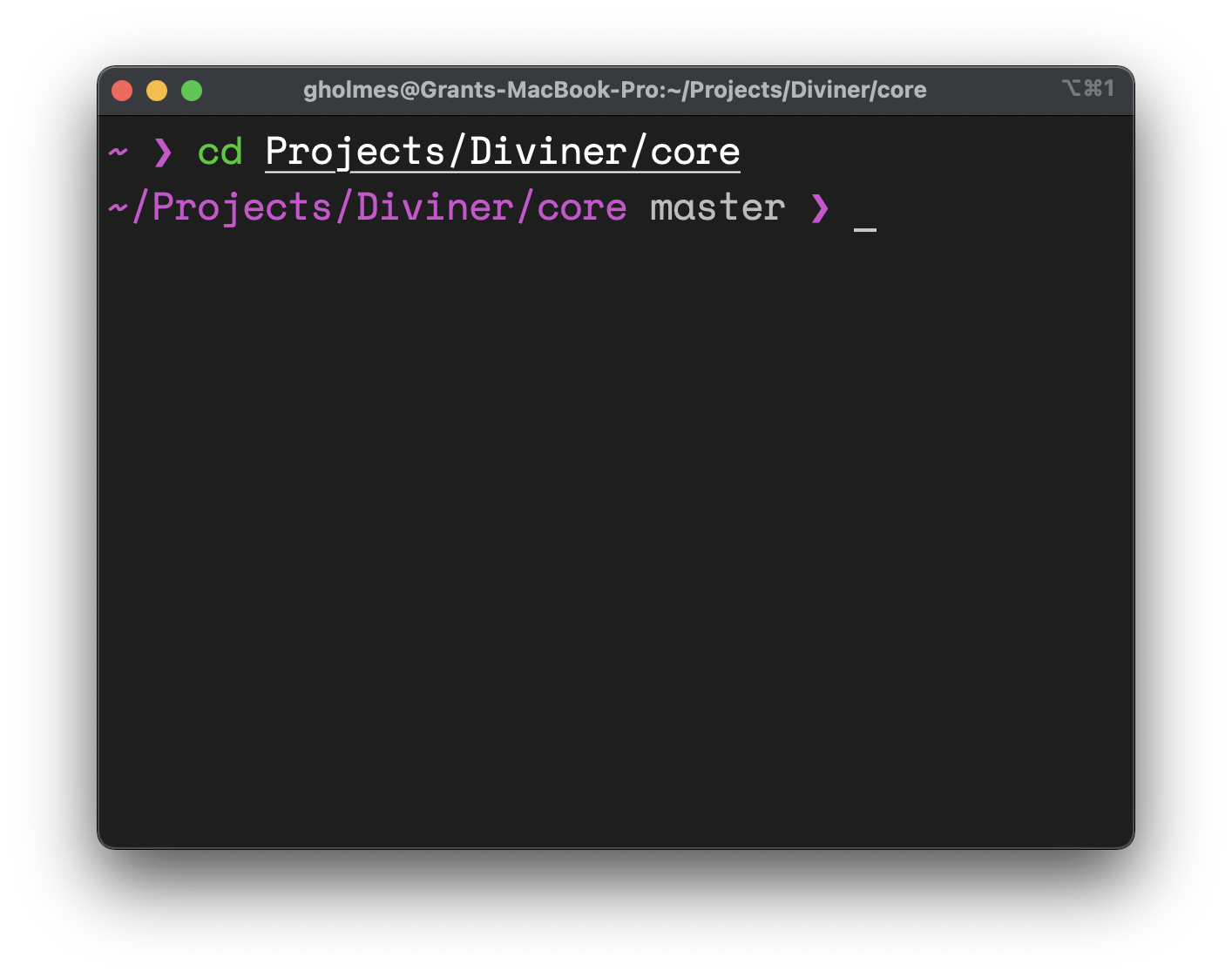 |
 |
Intallation
Have a working installation of Python 3. The script only leverages standard libraries so no need for a requirements.txt, pip install, or anything like that.
Clone this repo:
$ git clone https://github.com/gholmes829/Jmp.git
Without changing folders from the place you ran git clone, run
$ echo -e "SCRIPT_DIR=\"$(pwd)/Jmp\"\n\n$(cat Jmp/jmp_wrapper.sh)" > Jmp/jmp_wrapper.sh; \
  echo "\nsource \"$(pwd)/Jmp/jmp_wrapper.sh\"" >>
where
is the path to your .bashrc, .zshrc, or whatever else you use that gets run upon opening a terminal.
These commands will set everything up so that you can always access jmp from the terminal.
Optionally, you can rename the jmp command to something else. Setting alias dc=jmp in your terminal config file will now let you run dc D c (from the example above), where dc is now cd's evil nemesis.
Basic Usage
Basic usage is as follows
$ jmp expr_1 expr_2 ...expr_n
where each expr_i is a Python-compatible regex string, which of course includes plain text searches if you don't want to use fancy regex. The algorithm will perform a breadth first search through the file system, attempting to sequentially match expressions with files it encounters. Once the last expression has been matched and popped off, your cwd will be changed to the target directory. By default without using regex, the algorithm attempts to match files starting with the expr. You can instead jump to files ending with an "query" with jmp .*query$.
If you find yourself not wanting to type out a directory's name every time, you can use aliases. You can modify aliases.json to include a key-value pair that transforms your input. For example, adding "cc": "EECS 665" to aliases.json would make it so jmp cc gets interpreted as jmp EECS\ 665. This allows for shorter commands that get you to where you want.
If you don't want to waste compute time on deep directories that you know don't contain anything useful, you can use the blacklist. Any blacklisted term will not be evaluated. For example, adding "Documents" into blacklist.json prevents us from searching for or inside of the documents folder. This allows for a faster experience.
Run the following to learn more about flags (-b, -f, -d, -l, -s, etc)
$ jmp -h
Flags enable you to specify type of file to search, limit max search depth, set search root path, silence output, and more.
Lastly, take note of function variations/ aliases jmpa (run jmp from root), jmpf (search only for files), and jmpd (search only for directories). Since a major point of jmp is for convenience and to save time, it would make sense to use jmpd rather than jmp -d.
Considerations
You may find yourself doing some experimentation to learn how to get the best use out of this tool. If you excessively shorten your expressions, it is very likely you'll end up in a lexically similiar location that is different from what you intended. Using multiple strategic expressions will conversely speed up the operation by narrowing the search space. Considering the absolute worst case in terms of convenience, we can see that jmp converges to cd as each expression could be the next folder that you would need to cd to (e.g. jmp Projects Diviner core vs cd Projects/Diviner/core).
In other words, jmp is at least as convenient as cd and has potential to be a lot, lot better. However, if you try to drop too much information, you may lose accuracy. Try to use the minimal number of expressions while still retaining substrings or patterns unique to your target location.
Advanced Customization
Take a look at jmp.py. The code is pretty succinct and modular, so it shouldn't be too hard to modify the constraints for searching, matching, or even the traversal algorithm itself.

 3.2k Jan 09, 2023
 7 Jan 23, 2022
 1.9k Jan 05, 2023
 0 Feb 16, 2022
 17 Dec 11, 2022
 3 Sep 10, 2021
 8 Jan 09, 2023
 1 Jan 07, 2022
 13.3k Jan 07, 2023
 5 Jul 29, 2022
 30.2k Jan 08, 2023
 7 Mar 14, 2022
 8 Oct 19, 2022
 11.1k Dec 27, 2022
 8 Dec 13, 2022
 14 Nov 12, 2022
 42 Dec 18, 2022
 1 Dec 22, 2021
 25 Sep 06, 2022
 22 Nov 10, 2022