This utility lets you draw using your laptop's touchpad on Linux.

Overview

FingerPaint

This utility lets you draw using your laptop's touchpad on Linux.

Pressing any key or clicking the touchpad will finish the drawing.

Your touchpad will not control the cursor while drawing, though external mice should still work.

It has support for both X11 (all desktop environments), and Wayland (just Gnome at the moment).

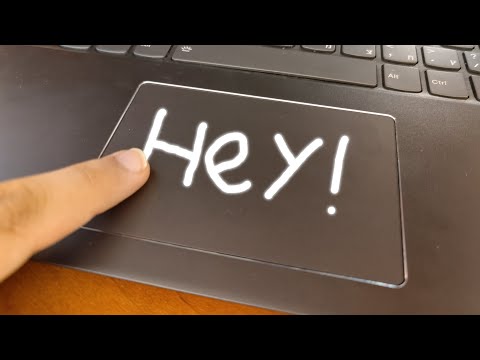
Video:
Video

Installation

Ubuntu / Debian

apt install xinput python3-pip python3-tk
pip3 install fingerpaint

Arch / Manjaro

Install fingerpaint via the AUR

Usage examples

# Simple usage
fingerpaint -o painting.png

# Play with style
fingerpaint --dark -o painting.png

# Copy to clipboard (using bash)
fingerpaint --hint=$'Press any key or click to finish drawing\nImage will be copied to clipboard' -o - | xclip -sel clip -t image/png

# Copy to clipboard (using fish)
fingerpaint --hint="Press any key or click to finish drawing"\n"Image will be copied to clipboard" -o - | xclip -sel clip -t image/png

Uses

  • Digitize your signature to sign PDFs
  • Enter complex characters (e.g. Math symbols) or Asian scripts
  • Doodle I guess
Comments
  • Program hangs after closing GUI

    Program hangs after closing GUI

    I noticed that the script doesn't end after closing the GUI using the keyboard. Without looking in detail I think this could be because keyboard events are not caught in this line, only using the mouse buttons works: https://github.com/Wazzaps/fingerpaint/blob/ff7090b4a5a0b999dc75ef687911e8c04299f3f4/fingerpaint/fingerpaint.py#L189-L191

    opened by jhossbach 8
  • TypeError: 'int' object is not subscriptable

    TypeError: 'int' object is not subscriptable

    Hi, when I try to run fingerpaint, I encounter the following issue:

    Traceback (most recent call last):
      File "/home/<user>/.local/bin/fingerpaint", line 8, in <module>
        sys.exit(cli())
      File "/home/<user>/.local/lib/python3.8/site-packages/fingerpaint/fingerpaint.py", line 288, in cli
        main(args)
      File "/home/<user>/.local/lib/python3.8/site-packages/fingerpaint/fingerpaint.py", line 207, in main
        make_ui(handler_loop(), scaled, devname, args)
      File "/home/<user>/.local/lib/python3.8/site-packages/fingerpaint/fingerpaint.py", line 86, in make_ui
        image_canvas.line(
      File "/usr/lib/python3/dist-packages/PIL/ImageDraw.py", line 161, in line
        angles = [
      File "/usr/lib/python3/dist-packages/PIL/ImageDraw.py", line 162, in <listcomp>
        math.degrees(math.atan2(end[0] - start[0], start[1] - end[1]))
    TypeError: 'int' object is not subscriptable
    

    Touchpad used is SYNA2393:00 06CB:7A13, OS is Ubuntu 20.04 with GNOME 3.36.8.

    opened by biancofla 5
  • AttributeError: 'InputDevice' object has no attribute 'absinfo'

    AttributeError: 'InputDevice' object has no attribute 'absinfo'

    When I try to run fingerpaint, I get this error:

    Using touchpad: XXXXXXX Touchpad
    Traceback (most recent call last):
      File "/home/XXX/.local/bin/fingerpaint", line 8, in <module>
        sys.exit(cli())
      File "/home/XXX/.local/lib/python3.9/site-packages/fingerpaint/fingerpaint.py", line 288, in cli
        main(args)
      File "/home/XXX/.local/lib/python3.9/site-packages/fingerpaint/fingerpaint.py", line 165, in main
        x_absinfo = touchpad.absinfo(evdev.ecodes.ABS_X)
    AttributeError: 'InputDevice' object has no attribute 'absinfo'


    I am running Fedora 34, with GNOME DE. (I changed some personal information for XXX).

    opened by caiocvsilva 5
  • Logitech K400 Plus trackpad not recognized

    Logitech K400 Plus trackpad not recognized

    I have a Logitech K400 Plus keyboard.

    It has a trackpad and left/right buttons built into in

    It interfaces to the computer via Logitech Unifying Receiver.

    Fingerpaint does not recognize it as a trackpad.

    Is there a way to inform Fingerpaint to use this trackpad?

    enhancement 
    opened by johnblommers 4
  • State of Wayland support

    State of Wayland support

    I am wondering whether Wayland is supported now, is xinput still needed? There was an issue on the AUR: https://aur.archlinux.org/packages/fingerpaint-wayland

    https://github.com/Wazzaps/fingerpaint/blob/12b865681dbe4b5602bc052e9f6dd7d515554952/fingerpaint/fingerpaint.py#L298-L305

    opened by jhossbach 2
  • TypeError: line() got an unexpected keyword argument 'joint'

    TypeError: line() got an unexpected keyword argument 'joint'

    I get this error when I tap on the touchpad:

    $ fingerpaint -o test.png Using touchpad: SYNA3082:00 06CB:8265 Touchpad Traceback (most recent call last): File "$HOME/.local/bin/fingerpaint", line 8, in sys.exit(cli()) File "$HOME/.local/lib/python3.6/site-packages/fingerpaint/fingerpaint.py", line 288, in cli main(args) File "$HOME/.local/lib/python3.6/site-packages/fingerpaint/fingerpaint.py", line 207, in main make_ui(handler_loop(), scaled, devname, args) File "$HOME/.local/lib/python3.6/site-packages/fingerpaint/fingerpaint.py", line 89, in make_ui width=int(args.line_thickness * aa_factor), joint='curve', fill=(0, 0, 0) TypeError: line() got an unexpected keyword argument 'joint'

    opened by AlfonsoGangemi 2
  • ability to go fullscreen

    ability to go fullscreen

    right now fingerpaint opens up in small windows which is sort of limited in visual sense when we want to doodle. It would be nice to have a maximize window option

    opened by Bhupesh-V 1
  • Loosen dependencies

    Loosen dependencies

    Tightening the dependencies in your setup.py makes it hard for some packaging managers (pacman) to install the package. It is also not necessary to keep a specific version. I tested it using the newer version Pillow v8.3.1

    Also, (for me at least) there seems to be some issue with the Arch package python-pyudev giving the wrong version which also messes with this requirement.

    Feel free to just cherry-pick from https://github.com/jhossbach/fingerpaint/commit/9afe96d339f59353a4e7b4b22353e9ca331c2074.

    opened by jhossbach 1
  • Release Tag (v1.1)

    Release Tag (v1.1)

    Hey there, it might be a good idea to create a version tag / release for the package. I can pick up from there and create an AUR package.

    Originally posted by @jhossbach in https://github.com/Wazzaps/fingerpaint/discussions/1#discussioncomment-1142541

    opened by jhossbach 1
  • fingerpaint and fingerpaint-wayland AUR packages are the same?

    fingerpaint and fingerpaint-wayland AUR packages are the same?

    I checked PKGBUILDs of both the packages, and they both seem the same. Maybe I guess, earlier they were separate? If they are same now, as both wayland and xorg functionality is in same code, please consider making a request at AUR for deletion to avoid any confusion for some people who use both wayland and xorg on their systems (like me, i generally use wayland, but sometimes have to switch to xorg, when i am somewhere where people may use my laptop)

    documentation 
    opened by heymisphere 1
  • Support for wlroots based compositors

    Support for wlroots based compositors

    Besides GNOME and KDE, wlroots (wlr) is the only big thing on wayland right now on which a lot of compositors are based (like sway, hyprland, river). If wlroots is supported, all these compositors would get supported. Any plans for the support for wlr?

    enhancement 
    opened by heymisphere 5
  • Create a Snap package (once Fingerpaint has a save UI)

    Create a Snap package (once Fingerpaint has a save UI)

    For an easy installation, clicking Install at Snap Store in Ubuntu, which is the first Linux distro for many new users now coming to Linux. Solus, KDE Neon, Manjaro, MakuluLinux, Ubuntu MATE, Zorin OS etc. support snapd by default too.

    Request was put up originally to here: https://forum.snapcraft.io/t/fingerpaint-draw-with-touchpad-or-sign-a-signature-easily-only-non-beginner-friendly-installation-available/31234

    enhancement good first issue 
    opened by heidiwenger 1
  • Feature Request:

    Feature Request: "hover" cursor

    This is a great & fun project - thanks for making it. I saw it on OMG! Ubuntu.

    Would you consider implementing a mode where we only see a cursor at the point on the canvas that a touch corresponds to...and then it only draws while holding down a key?

    Thank you!

    enhancement good first issue 
    opened by mdmayfield 0
  • Fingerpaint not working on Manjaro Gnome Wayland

    Fingerpaint not working on Manjaro Gnome Wayland

    I'm using Manjaro Gnome with Wayland and installed the fingerpaint-wayland aur.

    When I use the following command: fingerpaint - o test.png I get the following output:

    Using touchpad: SynPS/2 Synaptics TouchPad Unexpected touchpad state: "", are you using Gnome?

    opened by hahihohehe 11
Releases(v1.2.6)
Owner
Wazzaps
“heuristic” is a word grownups use when they’re about to protect your life’s savings using cryptography they can’t prove secure.
Wazzaps
A simple Python app that generates semi-random chord progressions.

chords-generator A simple Python app that generates semi-random chord progressions.

53 Sep 07, 2022
ecowater-softner is a Python library for collecting information from Ecowater water softeners.

Ecowater Softner ecowater-softner is a Python library for collecting information from Ecowater water softeners. Installation Use the package manager p

6 Dec 08, 2022
Pass arguments by reference—in Python!

byref Pass arguments by reference—in Python! byrefis a decorator that allows Python functions to declare reference parameters, with similar semantics

9 Feb 10, 2022
This program organizes automatically files in folders named as file's extension

Auto Sorting System by Sergiy Grimoldi - V.0.0.2 This program organizes automatically files in folders named as file's extension How to use the code T

Sergiy Grimoldi 1 Jan 07, 2022
Python 3 script unpacking statically x86 CryptOne packer.

Python 3 script unpacking statically x86 CryptOne packer. CryptOne versions: 2021/08 until now (2021/12)

5 Feb 23, 2022
a simple function that randomly generates and applies console text colors

ChangeConsoleTextColour a simple function that randomly generates and applies console text colors This repository corresponds to my Python Functions f

Mariya 6 Sep 20, 2022
iOS Snapchat parser for chats and cached files

ParseSnapchat iOS Snapchat parser for chats and cached files Tested on Windows and Linux install required libraries: pip install -r requirements.txt c

11 Dec 05, 2022
Simple collection of GTPS Flood in Python.

GTPS Flood Simple collection of GTPS Flood in Python. NOTE Give me credit if you use this source, don't trade/sell this tool, And USE AT YOUR OWN RISK

PhynX 6 Dec 07, 2021
Extends the pyranges module with operations on joined genomic intervals

tiedpyranges Extends the pyranges module with operations on joined genomic intervals (e.g. exons of same transcript) Install with: pip install tiedpyr

Marco Mariotti 4 Aug 05, 2022
✨ Un générateur de mot de passe aléatoire totalement fait en Python par moi, et en français.

Password Generator ❗ Un générateur de mot de passe aléatoire totalement fait en Python par moi, et en français. 🔮 Grâce a une au module random et str

MrGabin 3 Jul 29, 2021
Stubmaker is an easy-to-use tool for generating python stubs.

Stubmaker is an easy-to-use tool for generating python stubs. Requirements Stubmaker is to be run under Python 3.7.4+ No side effects during

Toloka 24 Aug 28, 2022
Gradually automate your procedures, one step at a time

Gradualist Gradually automate your procedures, one step at a time Inspired by https://blog.danslimmon.com/2019/07/15/ Features Main Features Converts

Ross Jacobs 8 Jul 24, 2022
Python tool to check a web applications compliance with OWASP HTTP response headers best practices

Check Your Head A quick and easy way to check a web applications response headers!

Zak 6 Nov 09, 2021
Abstraction of a Unit, includes convertions and basic operations.

Units Abstraction of a Unit, includes convertions and basic operations. ------ EXAMPLE : Free Fall (No air resistance) ------- from units_test import

1 Dec 23, 2021
Monte Carlo simulation of 3G rules

mc3g Monte Carlo simulation of 3G rules This project contains the Python code to do simulations of events according to the 3G rule (in German: "Geimpf

Jan Christoph Terasa 4 Nov 01, 2021
python-codicefiscale: a tiny library for encode/decode Italian fiscal code - codifica/decodifica del Codice Fiscale.

python-codicefiscale python-codicefiscale is a tiny library for encode/decode Italian fiscal code - codifica/decodifica del Codice Fiscale. Features T

Fabio Caccamo 53 Dec 14, 2022
cpp20.py is a Python script to compile C++20 code using modules.

cpp20.py is a Python script to compile C++20 code using modules. It browses the source files to determine their dependencies. Then, it compiles then in order using the correct flags.

Julien VERNAY 6 Aug 26, 2022
Use generator for range function

Use the generator for the range function! installation method: pip install yrange How to use: First import yrange in your application. You can then wo

1 Oct 28, 2021
Produce a simulate-able SDF of an arbitrary mesh with convex decomposition.

Mesh-to-SDF converter Given a (potentially nasty, nonconvex) mesh, automatically creates an SDF file that describes that object. The visual geometry i

Greg Izatt 22 Nov 23, 2022
A morse code encoder and decoder utility.

morsedecode A morse code encoder and decoder utility. Installation Install it via pip: pip install morsedecode Alternatively, you can use pipx to run

Tushar Sadhwani 2 Dec 25, 2021